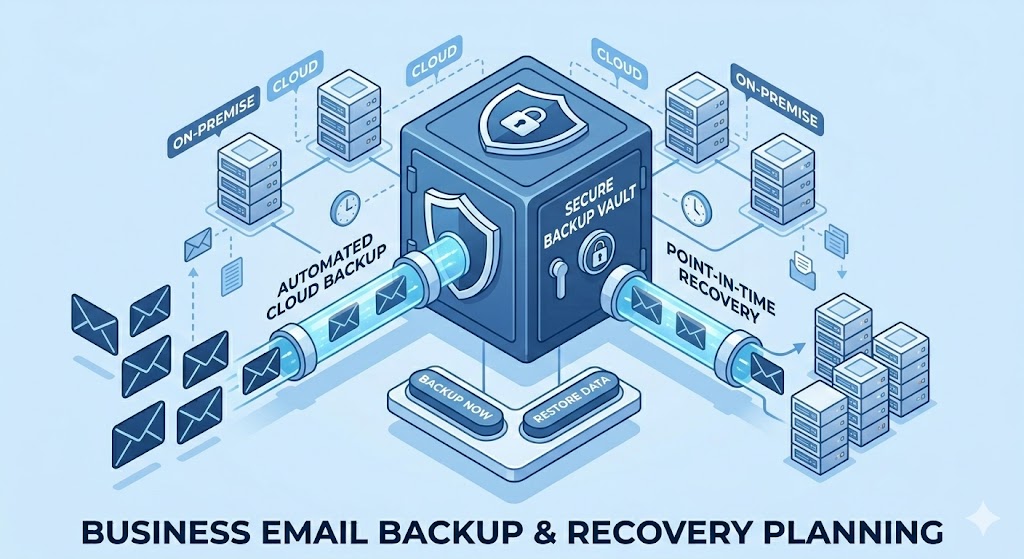

Introduction
Backup and recover business emails is no longer optional. It’s one of the most important steps any company can take to protect its communication. Emails handle everything from client conversations to internal updates, and losing them can disrupt operations instantly.
- Introduction
- Why Email Backup Is Important for Businesses
- Common Causes of Email Data Loss
- Types of Email Backup Solutions
- How to Backup and Recover Business Emails (Step-by-Step)
- How to Recover Lost Business Emails
- Best Practices for Email Backup and Recovery
- Where Leanna Fits In
- FAQ Section
- Conclusion
one of the most important parts of any business. From client communication to internal updates, losing access to your email can disrupt operations instantly.
The problem is that many businesses don’t think about email backup until something goes wrong. A server crash, accidental deletion, or cyberattack can wipe out critical information in seconds.
This guide explains how to properly backup and recover business emails so your company stays protected in 2026 and beyond.
Why Email Backup Is Important for Businesses
Most businesses assume their emails are automatically safe. But that’s not always true.
Email providers can experience downtime, accounts can be hacked, and employees can accidentally delete important messages. Without a backup system, recovering that data can be difficult, or even impossible.
Having a proper backup ensures:
-
Your data is always accessible
-
You can recover lost emails quickly
-
Your business avoids costly downtime
Common Causes of Email Data Loss
Understanding the risks helps you prepare better.
One of the most common causes is human error. Someone deletes an email permanently without realizing its importance.
Another major issue is cyberattacks, especially phishing and ransomware. These attacks can lock or erase your data.
There’s also server failure, which can happen even with reliable providers.
Ransomware is especially dangerous. The Cybersecurity and Infrastructure Security Agency warns that ransomware attacks continue to increase globally. If attackers gain admin access, they can delete mailboxes before encryption even begins.
Without backup, recovery becomes impossible.
Types of Email Backup Solutions
There are different ways to back up business emails, and each has its advantages.
Cloud Backup
Cloud backup stores your emails on external servers. This is the most common and reliable option because it allows access from anywhere.
Local Backup
This involves saving emails on physical devices like hard drives. While useful, it can be risky if the device fails or is lost.
Hybrid Backup
A combination of both cloud and local backup. This gives extra protection and is often the best option for serious businesses.
How to Backup and Recover Business Emails (Step-by-Step)
Start by choosing a reliable email hosting provider. Many modern platforms offer built-in backup features.
Next, enable automatic backups. Manual backups are not enough because they can be forgotten.
Then, store backups in multiple locations. This reduces the risk of losing everything at once.
Finally, test your backups regularly to make sure they actually work when needed.
How to Recover Lost Business Emails
If emails are lost, the recovery process depends on your backup system.
First, check your email provider’s recovery options. Many platforms allow you to restore deleted emails within a limited time.
If that doesn’t work, use your backup system to restore the data. This is why having a proper backup is critical, it gives you control during emergencies.
Best Practices for Email Backup and Recovery
To stay fully protected, businesses should follow a few key practices.
Back up emails automatically and frequently. Don’t rely on manual processes.
Limit access to sensitive accounts to reduce the risk of accidental deletion or security breaches.
Use strong security measures like two-factor authentication to prevent unauthorized access.
Where Leanna Fits In
Reliable hosting plays a major role in email security and backup.
Services like Leanna provide stable infrastructure that supports secure business email systems, helping reduce the risk of data loss and downtime.
FAQ Section
How often should business emails be backed up?
Ideally, backups should run automatically every day.
Can deleted emails be recovered?
Yes, but only if you have a backup system or if your provider still has them in recovery storage.
What is the best email backup solution?
Cloud-based or hybrid backup solutions are generally the most reliable.
Is email backup necessary for small businesses?
Yes. Even small businesses rely heavily on email communication and cannot afford data loss.
How can businesses backup and recover business emails effectively?
Businesses can backup and recover business emails by using automated cloud backups, secure storage systems, and regular recovery testing.
Conclusion
Email is at the center of daily business communication, which makes protecting it non-negotiable. Without a proper backup and recovery plan, even a small mistake or unexpected issue can lead to serious data loss and disruption.
The good news is that setting up a reliable system doesn’t have to be complicated. With the right tools, regular backups, and basic security practices, businesses can stay prepared and recover quickly when issues arise.
As we move further into 2026, businesses that take email protection seriously will not only avoid costly downtime but also build more trust with their clients and teams. It’s not just about preventing loss, it’s about staying in control of your communication at all times.
Read About:Complete Email Configuration for Business Security