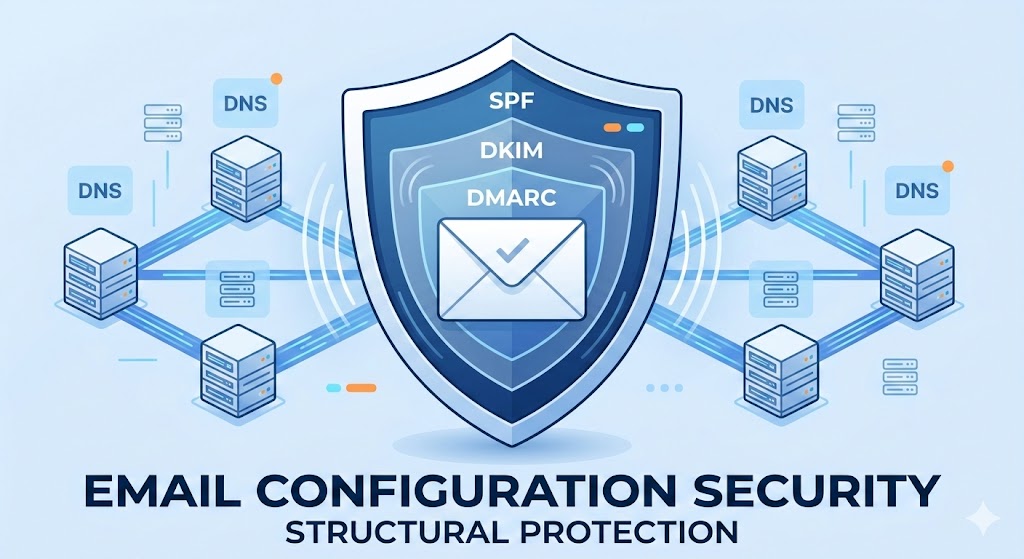

Email configuration is no longer optional for modern businesses. Without proper SPF, DKIM, and DMARC setup, your domain becomes vulnerable to spoofing, phishing, and spam filtering issues. Email remains the backbone of business communication.
- Why Email Configuration/Authentification Matters in 2026
- What Is SPF? (Sender Policy Framework)
- How SPF Works
- Example SPF Record
- Common SPF Mistakes
- What Is DKIM? (DomainKeys Identified Mail)
- How DKIM Works
- DKIM Setup Example
- Why DKIM Is Critical
- What Is DMARC? (Domain-based Message Authentication, Reporting & Conformance)
- Example DMARC Record
- Why DMARC Is Essential
- How SPF, DKIM and DMARC Work Together
- Step-by-Step Setup Overview
- Signs Your Authentication Is Misconfigured
- Business Risks of Ignoring Email Configuration/Authentication
- Why Businesses Hire Leanna for SPF/DKIM/DMARC Setup
- Frequently Asked Questions
- Protect Your Domain Before Attackers Do
If you’ve ever searched: “Why are my emails going to spam?”
-
“What is SPF/DKIM and DMARC?”
-
“How do I configure email authentication?”
-
“How do I stop email spoofing?”
This guide gives you the complete answer.
At Leanna, we don’t just create business emails, we secure them properly. And that starts with SPF, DKIM, and DMARC.
Why Email Configuration/Authentification Matters in 2026
Under that section we define:
-
Email configuration = technical setup of business email systems
-
Email authentication = security verification protocols (SPF, DKIM, DMARC)
Email providers like:
-
Google
-
Microsoft
-
Yahoo
have strengthened anti-spoofing requirements.
If your domain lacks proper authentication:
-
Emails may be rejected
-
Messages go to spam
-
Your domain reputation drops
-
Phishing attackers can impersonate you
-
Client trust decreases
Authentication protects both deliverability and brand credibility.
What Is SPF? (Sender Policy Framework)
SPF tells receiving mail servers:
“These are the servers allowed to send email from my domain.”
It prevents unauthorized senders from pretending to be you.
How SPF Works
-
You publish an SPF record in your DNS.
-
When you send email, the receiving server checks that record.
-
If the sending server isn’t listed, the message can fail.
Example SPF Record
This means only Google Workspace and Microsoft 365 servers are allowed to send emails for that domain.
Common SPF Mistakes
-
Multiple SPF records (causes failure)
-
Exceeding 10 DNS lookup limit
-
Forgetting third-party senders (CRM, website forms)
-
Using “~all” when stricter “-all” is required
Official documentation:
What Is DKIM? (DomainKeys Identified Mail)
DKIM adds a digital signature to your outgoing emails.
It proves:
-
The email wasn’t altered in transit
-
The message truly came from your domain
How DKIM Works
-
Your email provider generates a public/private key pair.
-
The public key is stored in DNS.
-
The private key signs outgoing mail.
-
Receiving servers validate the signature.
If it matches, the message is trusted.
DKIM Setup Example
In:
-
Google Workspace
-
Microsoft 365
You enable DKIM inside the admin console and publish the TXT or CNAME record provided.
Why DKIM Is Critical
Without DKIM:
-
Messages can fail DMARC
-
Email integrity cannot be proven
-
Deliverability weakens over time
What Is DMARC? (Domain-based Message Authentication, Reporting & Conformance)
DMARC builds on SPF and DKIM.
It tells receiving servers:
“If authentication fails, here’s what to do.”
DMARC policies:
-
p=none (monitor only)
-
p=quarantine (send to spam)
-
p=reject (block completely)
Example DMARC Record
This means:
-
Reject failed emails
-
Send reports
-
Use strict alignment
Why DMARC Is Essential
-
Prevents spoofing attacks
-
Protects executives from impersonation
-
Improves inbox placement
-
Provides visibility via reports
Authoritative reference:
How SPF, DKIM and DMARC Work Together
| Protocol | Purpose | Protects Against |
|---|---|---|
| SPF | Sender validation | Unauthorized mail servers |
| DKIM | Message integrity | Email tampering |
| DMARC | Policy enforcement | Spoofing + phishing |
Without DMARC, SPF and DKIM have no enforcement layer.
Without SPF/DKIM, DMARC cannot pass.
You need all three.
Step-by-Step Setup Overview
Step 1: Identify All Sending Sources
Include:
-
Google Workspace
-
Microsoft 365
-
Website hosting server
-
CRM tools
-
Email marketing software
-
Payment processors
Missing one sender = failed authentication.
Step 2: Configure SPF Correctly
Create one SPF TXT record in DNS.
Combine all sending services into a single record.
Avoid:
-
Multiple SPF entries
-
Exceeding lookup limits
Step 3: Enable DKIM in Your Email Provider
Inside your admin panel:
-
Generate keys
-
Publish CNAME/TXT record
-
Activate signing
Wait for DNS propagation.
Step 4: Deploy DMARC (Start with Monitoring)
Begin with:
Review reports.
Then gradually move to:
Full enforcement should only happen once authentication is verified.
Incorrect authentication can break email delivery. Leanna configures SPF and DKIM and DMARC properly the first time.
Signs Your Authentication Is Misconfigured
-
Emails go to spam
-
Clients report “be careful with this message” warnings
-
SPF softfail errors
-
DMARC alignment failures
-
Mail rejected with 550 errors
-
Executive impersonation attacks occur
These are serious business risks.
Business Risks of Ignoring Email Configuration/Authentication
-
Loss of domain reputation
-
Payment fraud attacks
-
CEO impersonation scams
-
Brand damage
-
Reduced sales conversion
-
Blacklisting
In 2026, email configuration/authentication is no longer optional.
It is mandatory for serious businesses.
Why Businesses Hire Leanna for SPF/DKIM/DMARC Setup
Setting DNS records incorrectly can:
-
Break email entirely
-
Cause silent delivery failures
-
Trigger spam filtering penalties
Leanna ensures:
-
Clean DNS configuration
-
Correct alignment
-
Strict DMARC enforcement
-
Third-party sender inclusion
-
Ongoing monitoring
We integrate authentication as part of:
-
Business Email Setup & Security (Pillar)
-
Microsoft 365 Email Setup
-
Google Workspace Email Setup
-
Domain & DNS Management
Instead of trial and error, you get enterprise-level configuration from day one.
Frequently Asked Questions
Is SPF alone enough?
No. SPF without DKIM and DMARC is incomplete.
Does DMARC improve deliverability?
Yes. Proper alignment increases inbox trust.
How long does setup take?
Correct configuration typically takes 1–2 hours, including DNS propagation.
Can incorrect DMARC reject real emails?
Yes. That’s why enforcement must be gradual.
Protect Your Domain Before Attackers Do
SPF, DKIM and DMARC are not technical extras.
They are foundational security layers.
If your domain isn’t protected, attackers can impersonate your brand today.
If your emails lack authentication, inbox providers will quietly downgrade your reputation.
Authentication equals trust. Trust equals deliverability. Deliverability equals revenue.
Leanna secures business email infrastructure correctly, so your communication works, your brand stays protected, and your clients trust every message you send.
Secure your domain before attackers exploit it. Let Leanna configure your email infrastructure professionally.