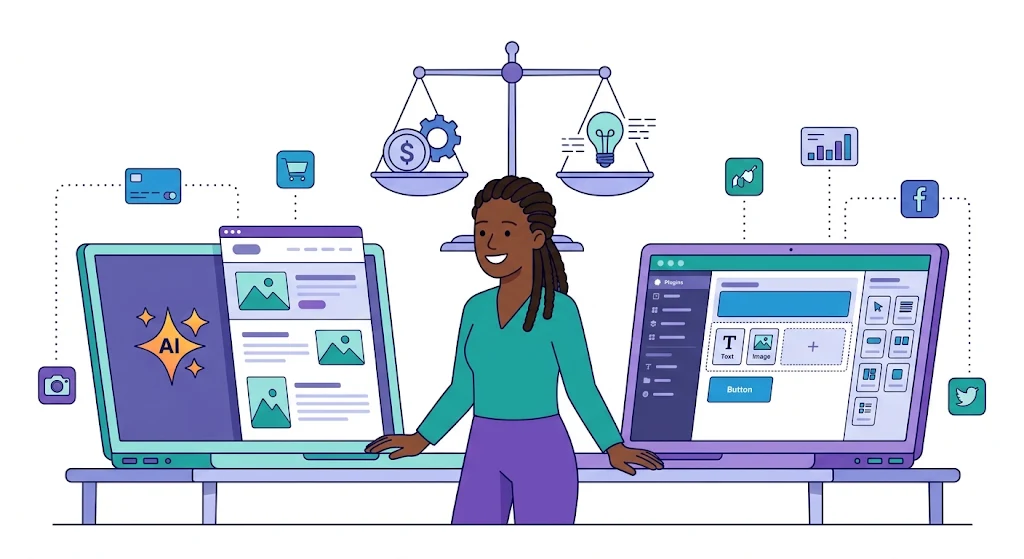

Best WooCommerce Plugins at a Glance
| # | Job | Why a Nigerian store needs it |
|---|---|---|
| 1 | Payment gateway | Customers pay in naira by card, transfer or USSD |
| 2 | SEO | Helps people find your products on Google |
| 3 | Caching and speed | Pages load faster on mobile data |
| 4 | Security | Protects customer and order data |
| 5 | Backups | Lets you restore the store if something breaks |
| 6 | Image optimisation | Product photos stay sharp but light |
| 7 | Email and abandoned carts | Brings back shoppers who left |
| 8 | Product reviews | Builds trust with new buyers |
| 9 | Shipping and delivery | Shows delivery options and costs clearly |
| 10 | Analytics | Shows what sells and where visitors come from |
WooCommerce itself is free software for WordPress. Many plugins have free and paid versions, and some paid prices are set in dollars, so check current prices.
How to Judge the Best WooCommerce Plugins Before You Install Them
Lists of the best WooCommerce plugins age fast. Instead of trusting a top-10 list blindly, check each plugin yourself:
- Last updated: Choose plugins updated recently.
- Tested with your WordPress version: The plugin page says which versions it was tested with.
- Active installations: More installs usually means more real-world testing.
- Reviews and support replies: Read how the developer answers problems.
- Free vs paid: Know what the free version leaves out.
- Fit with Nigeria: Check currency, payment methods and local support.
For example, the Flutterwave plugin page for WooCommerce shows more than 1,000 active installations and, at the time of writing, a warning that it had not been tested with the latest three major WordPress releases. A warning like that does not mean the plugin is bad, but it means you should test carefully on a staging copy before you use it on your live store.
Pick 1: A Payment Gateway for Naira
Among the best WooCommerce plugins, payment tools come first, because your store must let Nigerians pay the way they prefer. Two widely used options are Paystack and Flutterwave.
Paystack: WooCommerce’s documentation says its Paystack gateway supports stores in Nigeria, Ghana and South Africa, offers a popup or redirect checkout, has a test mode, and requires a Paystack merchant account, an active WooCommerce installation and a valid SSL certificate. Paystack’s own guide explains how to set it up in WooCommerce, including copying your API keys and adding the webhook URL in your Paystack dashboard.
Flutterwave: The WooCommerce plugin accepts payments through several channels, including cards, bank accounts and USSD, and supports Nigerian naira (NGN) among many currencies.
Always run a test order in test mode before you go live. Always turn on SSL first, because payment plugins need a secure connection.
Pick 2: An SEO Plugin
An SEO plugin is one of the best WooCommerce plugins for visibility. It helps you set page titles, descriptions, sitemaps and product details. Rank Math is a popular choice and is the one we use. Good SEO helps customers find your categories and products on Google.
Write unique titles and descriptions for your main products and categories, and keep product pages helpful. Google’s SEO Starter Guide explains the basics. Our guide to local SEO in Nigeria helps if you also serve customers in a specific city.
Pick 3: A Caching and Speed Plugin
A caching tool is one of the best WooCommerce plugins for mobile shoppers, because a slow store loses sales on mobile data. A caching plugin saves ready-made copies of your pages so they load faster.
Choose one well-reviewed caching plugin, not three. Combining several speed plugins can cause conflicts. Fast hosting matters as much as the plugin, so read our guide to web hosting for ecommerce in Nigeria.
Pick 4: A Security Plugin
Security belongs among the best WooCommerce plugins, since your store holds customer names, phone numbers and addresses. A security plugin can add a firewall, scan for malware, limit login attempts and alert you to problems.
Pair it with strong passwords, two-step login for admin users, and regular updates. Our website maintenance checklist lists the monthly checks.
Pick 5: A Backup Plugin
A backup tool is one of the best WooCommerce plugins you will never regret. A backup is your safety net. The WordPress developer documentation explains that a full backup includes your database and your files. For a store, the database holds your orders and customers, so backups matter even more.
Choose a plugin that backs up automatically and stores copies away from your website, not only on the same server. Test a restore at least once.
Pick 6: Image Optimisation
Image tools are among the best WooCommerce plugins for speed, because product photos are often the heaviest part of a page. An image optimisation plugin compresses photos and can serve smaller versions to phones, so pages load faster without making products look blurry.
Also upload photos at a sensible size, and add clear names and alt text to each product image.
Pick 7: Email Marketing and Abandoned Cart Recovery
Recovery tools are among the best WooCommerce plugins for sales. Many shoppers add items to the cart and leave. An abandoned cart plugin sends a friendly reminder email, and an email marketing plugin helps you share offers with your customer list.
Collect emails honestly, give people a way to unsubscribe, and store customer data carefully, since Nigeria’s data protection law applies to personal data.
Pick 8: Product Reviews
Reviews rank among the best WooCommerce plugins for trust. Buyers trust other buyers. A review plugin lets customers rate products and add photos, and shows ratings on your product pages.
Use real reviews only. Fake reviews damage trust and can break advertising rules.
Pick 9: Shipping and Delivery
Nigerian stores need clear delivery options. A shipping plugin or WooCommerce’s built-in settings can show delivery zones, costs and time estimates by state or city.
State your delivery times and fees clearly, so customers are not surprised at checkout. Our online store checklist for Nigeria covers delivery and returns in more detail.
Pick 10: Analytics and Tracking
Analytics are among the best WooCommerce plugins for decisions. You cannot improve what you cannot see. An analytics plugin or Google’s free tools show which products sell, where visitors come from and where they leave.
Look at your top pages, your best traffic sources and your checkout drop-off, then fix the weakest step first.
Plugin Mistakes That Slow Your Store Down
- Installing too many plugins. Each one adds code and risk.
- Keeping unused plugins. Delete what you do not use, do not only turn it off.
- Skipping updates. Old plugins are a common way sites get hacked.
- Using two plugins that do the same job. They can conflict.
- Installing nulled or pirated premium plugins. They often hide malware.
- Testing on the live store. Use a staging copy first.
- Ignoring hosting. A great plugin cannot fix slow, unreliable hosting.
How Many Plugins Is Too Many?
There is no magic number. A store with 15 well-made, up-to-date plugins can run better than a store with 5 poor ones. Judge plugins by quality and need, not count. Review your list every few months and remove any plugin that no longer earns its place.
See our guide on ecommerce website features Nigerian businesses need to decide which features matter first.
How Leanna Hosting Can Help
Leanna Hosting designs, hosts and manages WordPress and WooCommerce stores for Nigerian businesses, with local support and billing in Naira. We can set up your store, install the best WooCommerce plugins, connect your payment gateway, keep your plugins updated and your backups running. See our hosting plans, our web design in Lagos services, or call 09024991566 or 09084990920.
Frequently Asked Questions
1. What are the best WooCommerce plugins for a Nigerian store?
The most important ones cover payments in naira (such as Paystack or Flutterwave), SEO, speed, security, backups, image optimisation, email and abandoned carts, reviews, shipping and analytics.
2. Is WooCommerce free?
The WooCommerce software is free. You still pay for a domain, hosting and any premium plugins or themes you choose.
3. How do I accept naira payments on WooCommerce?
Install a payment gateway plugin such as Paystack or Flutterwave, add your API keys from your account, test in test mode, then switch to live keys. You also need an SSL certificate.
4. How many of the best WooCommerce plugins should a store have?
There is no fixed number. Use only the plugins you need, keep them updated, and remove the rest.
5. Can too many plugins slow my store down?
Yes. Poorly built or duplicate plugins can slow pages and cause conflicts. Good hosting and a light setup help.
6. Are free WooCommerce plugins safe?
Free plugins from trusted sources are fine if they are updated and well reviewed. Avoid pirated or “nulled” premium plugins.
7. Do I need a developer to set up WooCommerce?
You can set up a simple store yourself. A developer or agency helps with design, payments, speed and security.
Run the Best WooCommerce Plugins on Hosting That Keeps Up
Your store deserves plugins that work, hosting that keeps up, and support you can call. Leanna Hosting helps Nigerian businesses sell online with confidence.
Call or WhatsApp: 09024991566 or 09084990920 Visit: www.leanna.ng
Explore Leanna Hosting’s hosting plans and start your store.