
Introduction: Why Email Data Loss Is a Silent Business Risk
Most companies think their email is safe because it’s in the cloud.
- Introduction: Why Email Data Loss Is a Silent Business Risk
- Hosting vs Backup: The Critical Difference
- Why Email Data Gets Permanently Lost
- Core Components of Business Email Backup and Recovery
- 1. Automated Independent Backup
- 2. Granular Restore Options
- 3. Long-Term Retention Policy
- 4. Legal Hold and Archiving
- 5. Disaster Recovery Planning
- Ransomware and Email Recovery
- Warning Signs You Have No Real Backup Strategy
- The Financial Impact of Email Downtime
- Best Practices for 2026
- How Leanna Builds Resilient Email Systems
- Why This Matters for Long-Term Growth
- Final Thoughts
That assumption is dangerous.
Cloud availability is not the same as independent backup.
Business email backup and recovery planning protects your company when:
-
Emails are permanently deleted
-
Admin accounts are compromised
-
Ransomware encrypts mailboxes
-
Retention periods expire
-
Legal disputes require archived communication
Without a structured recovery system, a single incident can erase years of business records.
If you haven’t yet read our full business email setup and security pillar guide, start there to understand the foundation of secure communication infrastructure.
Hosting vs Backup: The Critical Difference
Many businesses use:
These platforms provide uptime and redundancy but not always independent backup.
According to Microsoft’s shared responsibility model, data protection responsibilities are shared between provider and customer.
That means:
You are responsible for retention configuration, data recovery strategy, and policy management.
Why Email Data Gets Permanently Lost
Email loss does not only happen from hacking.
It often happens because of:
-
Accidental deletion by employees
-
Insider misuse
-
Admin privilege errors
-
Expired retention policies
-
Legal hold misconfiguration
-
Phishing account takeover
Ransomware is especially dangerous. The Cybersecurity and Infrastructure Security Agency warns that ransomware attacks continue to increase globally. If attackers gain admin access, they can delete mailboxes before encryption even begins.
Without backup, recovery becomes impossible.
Core Components of Business Email Backup and Recovery
A professional system includes more than “restore from trash.”
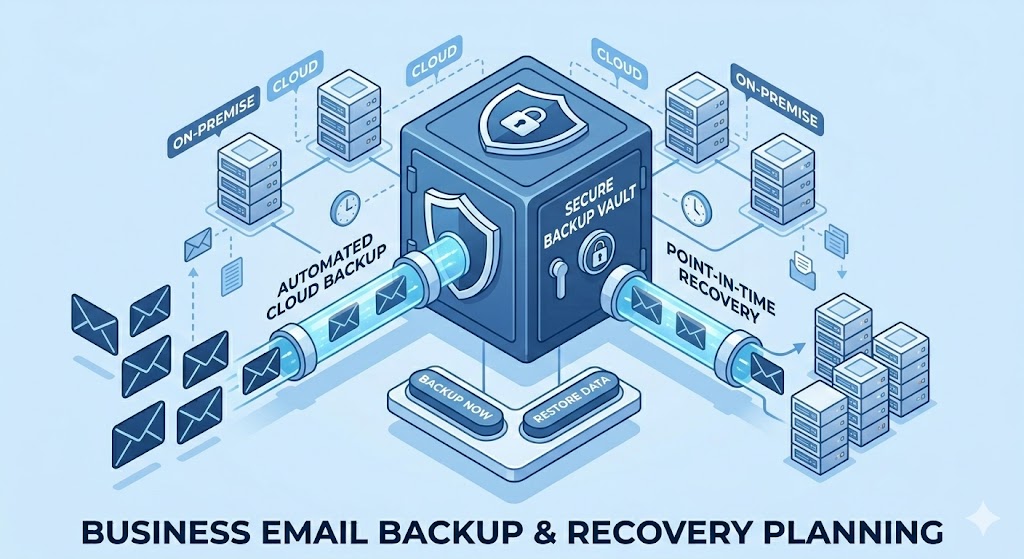
1. Automated Independent Backup
Backup must be:
-
Scheduled automatically
-
Stored separately from primary email system
-
Protected from admin deletion
Independent storage prevents attackers from wiping backups.
2. Granular Restore Options
You should be able to restore:
-
A single message
-
A deleted folder
-
A full mailbox
-
Specific time ranges
Granular recovery reduces downtime and prevents operational disruption.
3. Long-Term Retention Policy
A proper email data retention policy defines:
-
How long emails are stored
-
Who can delete them
-
When archival occurs
-
When permanent deletion is allowed
Financial and legal industries often require multi-year retention.
The Securities and Exchange Commission mandates record preservation standards for regulated firms.
Even if you are not regulated, structured retention protects against disputes.
4. Legal Hold and Archiving
Legal hold ensures emails cannot be permanently deleted during investigations or disputes.
Secure email archiving:
-
Protects message integrity
-
Prevents tampering
-
Enables searchable recovery
-
Supports compliance
Archiving is not the same as backup.
Backup restores. Archiving preserves.
5. Disaster Recovery Planning
Business email backup and recovery must include a written disaster recovery plan.
This includes:
-
Recovery Time Objective (RTO)
-
Recovery Point Objective (RPO)
-
Escalation procedures
-
Access control hierarchy
-
Restoration testing schedule
Testing is essential.
Backup that has never been tested is a liability.
Ransomware and Email Recovery
Ransomware often spreads through phishing emails.
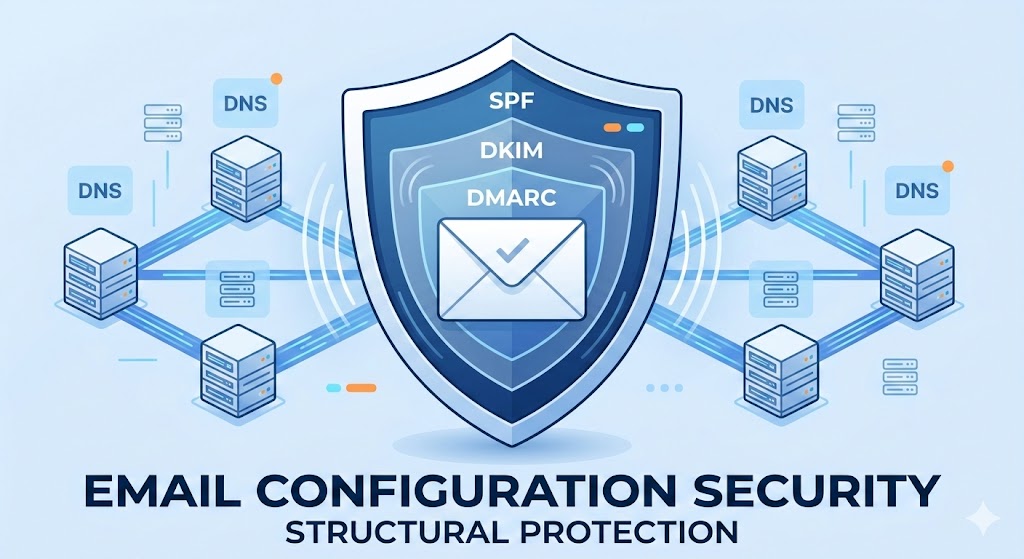
If you haven’t implemented strong authentication protocols, read our SPF DKIM DMARC configuration guide to understand how prevention begins.
But even with prevention:
If ransomware encrypts accounts, you need the ability to:
-
Roll back to a clean backup
-
Restore prior mailbox versions
-
Isolate compromised users
-
Re-enable services safely
Without recovery planning, ransomware can halt communication for days.
Operational downtime costs more than prevention.
Warning Signs You Have No Real Backup Strategy
-
You rely only on default cloud storage
-
No documented retention timeline exists
-
No restoration test has been performed
-
No legal hold configuration
-
Admins can permanently delete without audit trail
-
No independent storage environment
These gaps are common in small and mid-sized businesses.
The Financial Impact of Email Downtime
Email disruption affects:
-
Sales negotiations
-
Client communication
-
Vendor coordination
-
Internal operations
-
Legal documentation
Even 24 hours of downtime can damage revenue and reputation.
Business email backup and recovery planning ensures continuity under pressure.
Best Practices for 2026
-
Implement automated independent backups
-
Define written retention policies
-
Restrict admin deletion privileges
-
Enable multi-factor authentication
-
Conduct quarterly recovery simulations
-
Monitor unusual deletion activity
-
Document escalation procedures
Security without recovery is incomplete protection.
How Leanna Builds Resilient Email Systems
At Leanna, we don’t just configure inboxes.
We implement structured resilience.
Our process includes:
-
Infrastructure audit
-
Risk assessment
-
Independent backup deployment
-
Retention timeline design
-
Disaster recovery playbook creation
-
Restoration simulation testing
-
Ongoing monitoring
We align backup strategy with your business size and regulatory environment.
Because protecting communication is protecting revenue.
Why This Matters for Long-Term Growth
Companies invest in marketing, websites, branding, and digital systems.
But very few protect their communication history.
Email contains:
-
Business negotiations
-
Contract approvals
-
Financial confirmations
-
Strategic planning
Losing that data can erase operational clarity.
Business email backup and recovery planning protects your institutional memory.
Final Thoughts
Security stops attacks.
Backup recovers from them.
Both are necessary.
If your company does not have:
-
A documented retention plan
-
Independent backup storage
-
Tested recovery procedures
You are operating on assumption, not protection.
Leanna builds structured recovery systems that ensure your business continues operating even when unexpected events happen.
Email is infrastructure.
Treat it like one.
Read About:Complete Email Configuration for Business Security